Step-by-Step: How to Share a Business Phone Number with Your Team
4 min read
Alvaro Navarrete
Can multiple people share the same phone number?
Yes, a single phone number can be shared across multiple users, cell phones, team members, colleagues, or family members. For example, work colleagues can use a mobile app to share a common business phone number. You can share phone calls, texts, contacts & voicemail while your personal stuff stays private. Use cases for shared phone numbers include mobile teams, small businesses, customer service agents, musical bands, and families.
Common Use Cases for Sharing a Phone Number
Small businesses | Midwife services |
Mobile teams | Accounting & law |
Sales teams | Catering services |
Real estate agents | Massage services |
Musical bands | Gym operators |
Delivery services | Restaurant crew |
Customer service agents | Transportation services |
Distributed teams | Physical therapists |
Cannabis dispensaries | On-call teams |
Freelance teams | Remote teams |
Work from home teams | Families |
The Benefits of Sharing A Group Phone Number
Sharing a phone number substantially simplifies the call experience for both users and their callers. When multiple users share a common phone number, they can set all of their phones to ring at the same time when a call comes in. Whoever picks up first is instantly connected to the caller. Another option is to have the caller dial an extension to reach a specific person.
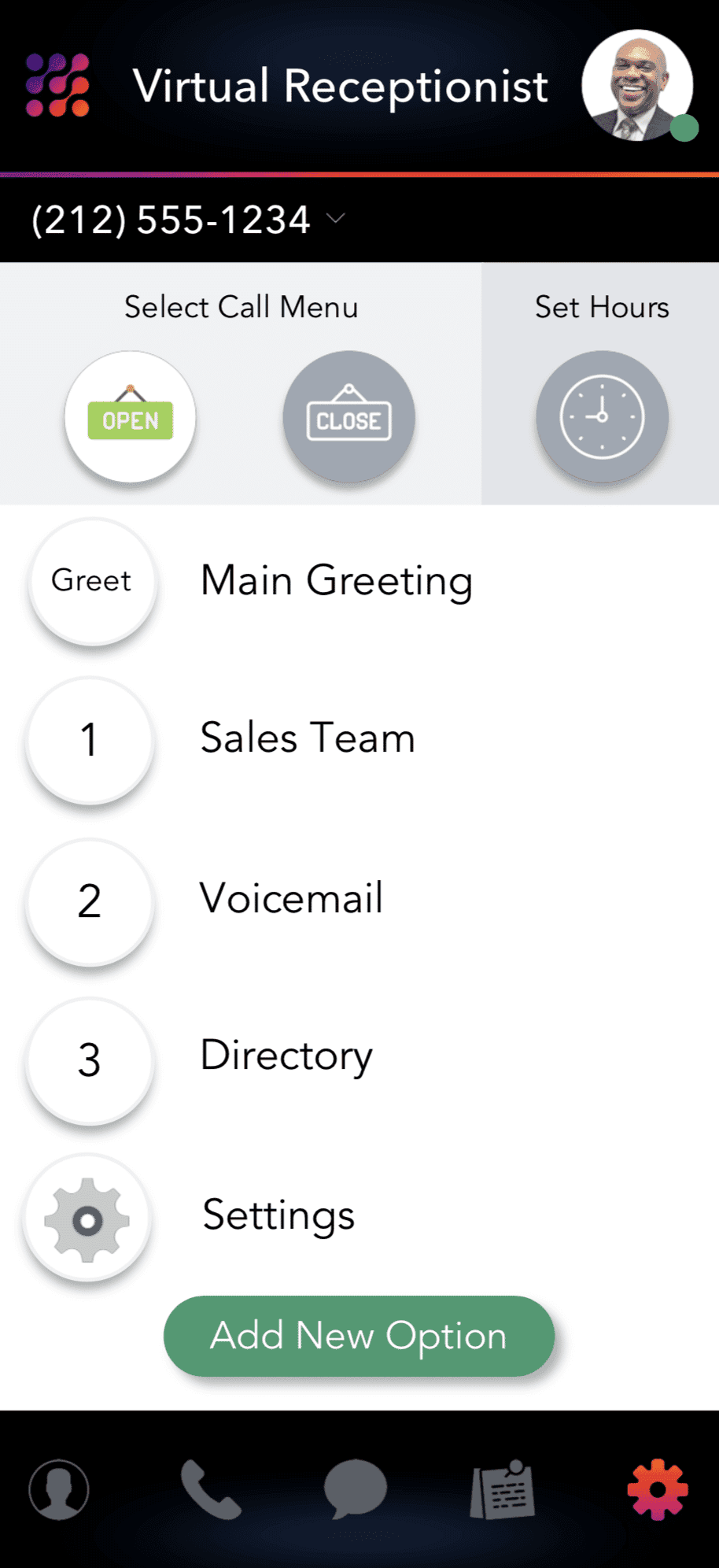
Alternatively, you can set up call menu options – Press ‘1 for Annie’ and ‘2 for Zach’ or, if you’re a business, ‘1 for Sales’ and ‘2 for Customer Service’. With call menu options, you can forward calls to a single person or an entire team instantly.
From the caller’s perspective, she’d dial a single phone number to reach anyone at your business, team, group, band, or family. This technology is accessible to everyone through a mobile app. With LinkedPhone, for example, each group member can add a dedicated 2nd number to their cell phone. The LinkedPhone mobile app keeps team calls, texts, contacts, and voicemail separate from personal stuff. Some of the benefits of the LinkedPhone app include:
No need to buy a separate phone for business. Get a separate work phone number on the phone you're already using.
Get a local or toll-free business phone number or port your current number.
Talk & text from your business caller ID so your personal number stays private.
A distinctive look for incoming business calls and text messages.
Keep business calls, text messages, voicemail, & contacts separate from your personal stuff.
Voicemail transcription empowers you to read voicemail on the go.
Set business hours so you receive business calls only when you want to.
Team members get their own extension and can use the app for free.
Keep track of customer conversations with Client Notes.
Add call menu options for a polished and professional call experience.
Team Work Makes Dream Work
It is essential for employees to work as a team in any organization to achieve success. Statistics show that 75% of employees rate teamwork and collaboration as very important when working. However, collaboration can be a tough task, mainly when there are many branches or teams in an organization. One way of managing a business that has multiple branches and scattered teams, whether nationwide or locally, is by using a single business phone number that links your entire team. LinkedPhone can help you achieve this.
The LinkedPhone mobile app adds a dedicated business phone number to your personal cell phone, preserving the privacy of your personal number. Pick from a vast inventory of local & toll-free phone numbers – or, port in a number you’d like to keep. Easily add colleagues so that everyone on your team is linked to a common business phone number. LinkedPhone makes it easy for callers to reach anyone on your team.
LinkedPhone
LinkedPhone serves the small business community with local & toll-free business numbers that work with your cell phone, desk phone, & laptop. Add a 2nd phone number to your cell phone with our mobile app. Talk & text with clients on the go. Add team members too. Finally break free from the desk phone. At LinkedPhone, freedom rings! 🔔📱💻☎️
LinkedPhone Features Section
Business Caller ID& Call Screening | Business Text Messaging | Business Contacts |
Call Queue & Jazz Hold Music | Client Notes & Call Notes | Business Talk & Text On The Web |
Audio Voicemail & Text Voicemail | Extensions for Team Members | Professional Call Menu Options |
Step-By-Step Guide: How To Create & Share a Team Phone Number With Multiple Users
5 Steps To Share a Common Business Phone Number with Your Team
Step 1: Sign Up Online or With Our Mobile App
Sign up on Apple's App Store, Google Play Store for Android, or on our website. Try LinkedPhone risk-free for 7-days to see if it's the right solution for you.
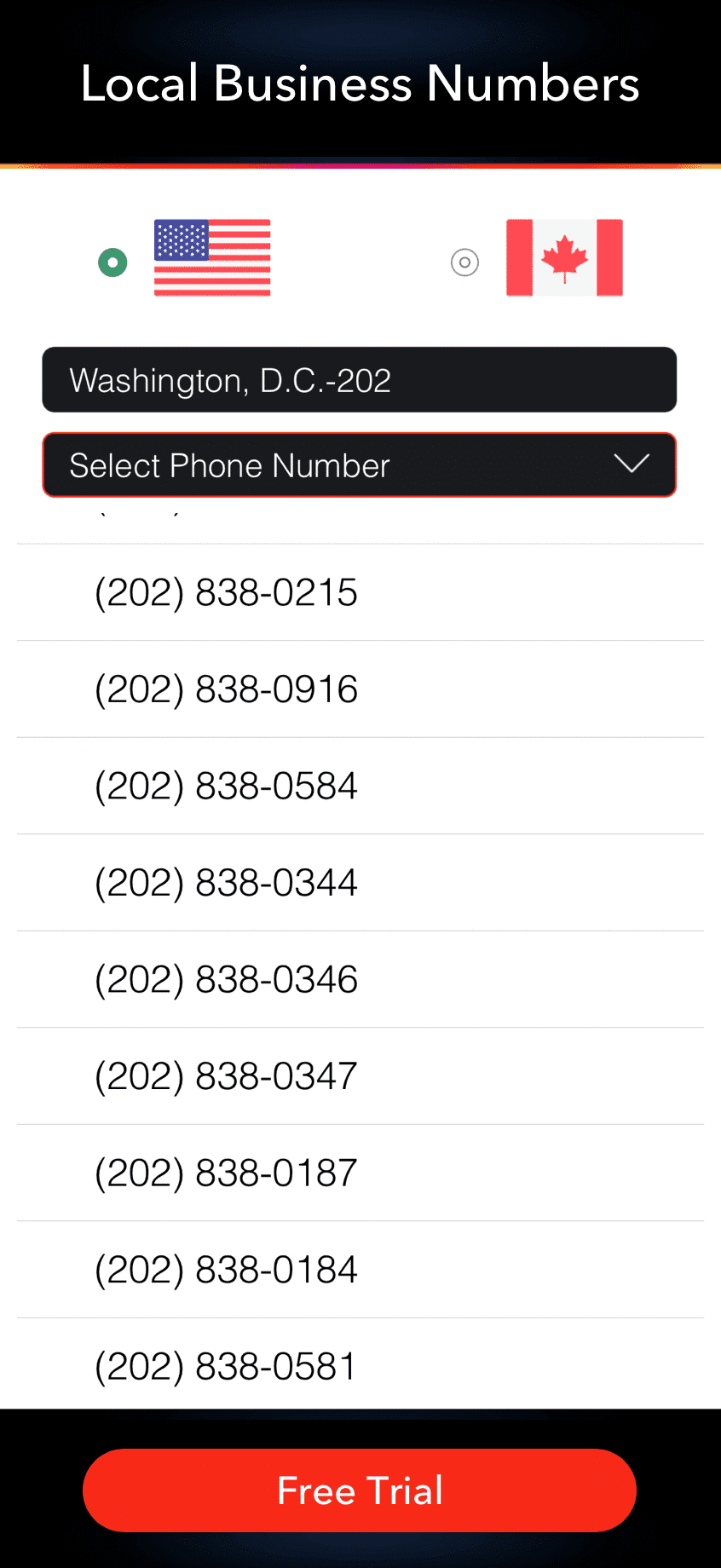
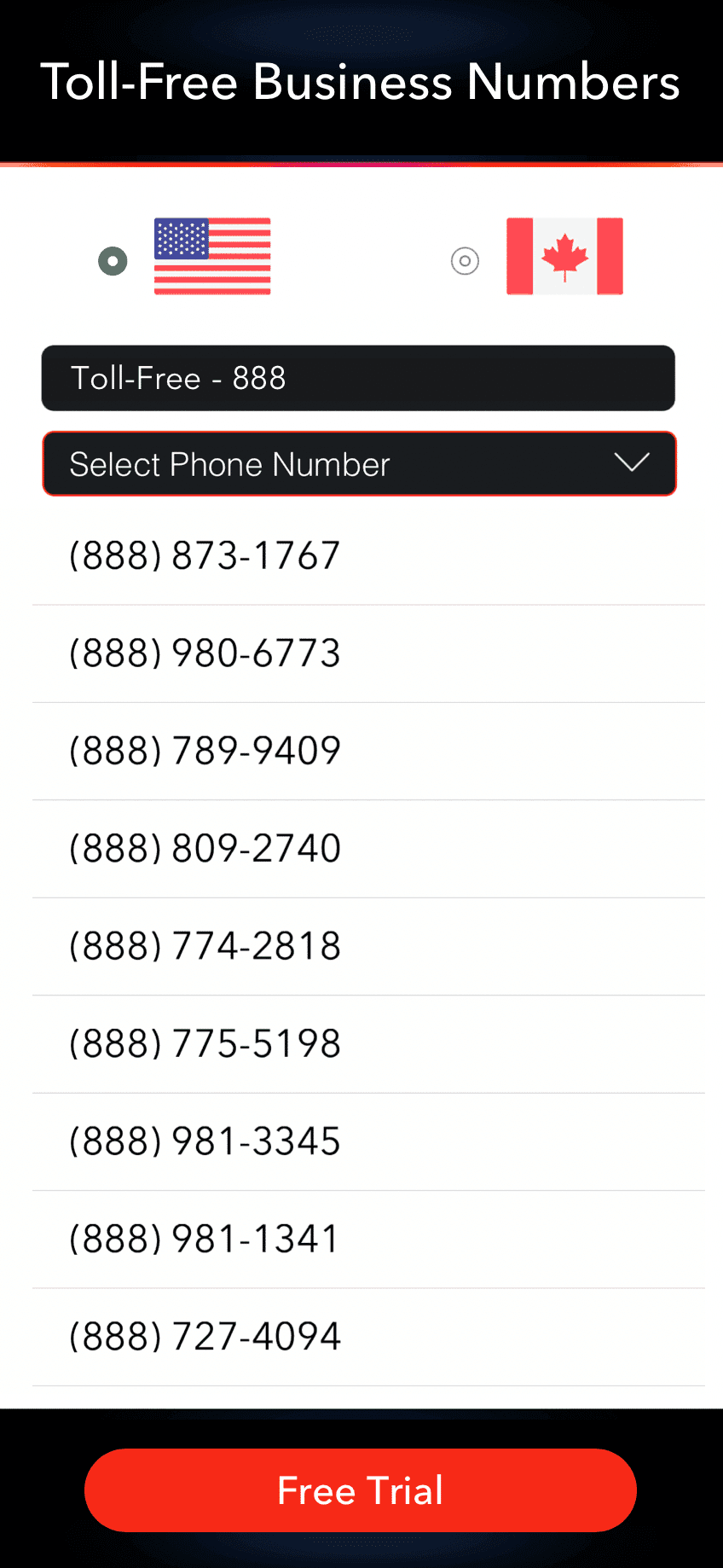
Step 2: Choose a Local or Toll-Free Phone Number
We offer business phone numbers across all area codes in the U.S. and Canada. Tap and the number is yours. Learn about local business phone numbers and toll-free business phone numbers. You can also port your current business number.
 |  |
Step 3: Choose a Plan That is Right for Your Team or Group
 Solopreneur PlanPerfect for 1-person businesses. $14.99 mo. |  Entrepreneur PlanShare a number with up to 3 people. $19.99 mo. |  Small Team PlanShare a number with up to 8 people. $49.99 mo. |
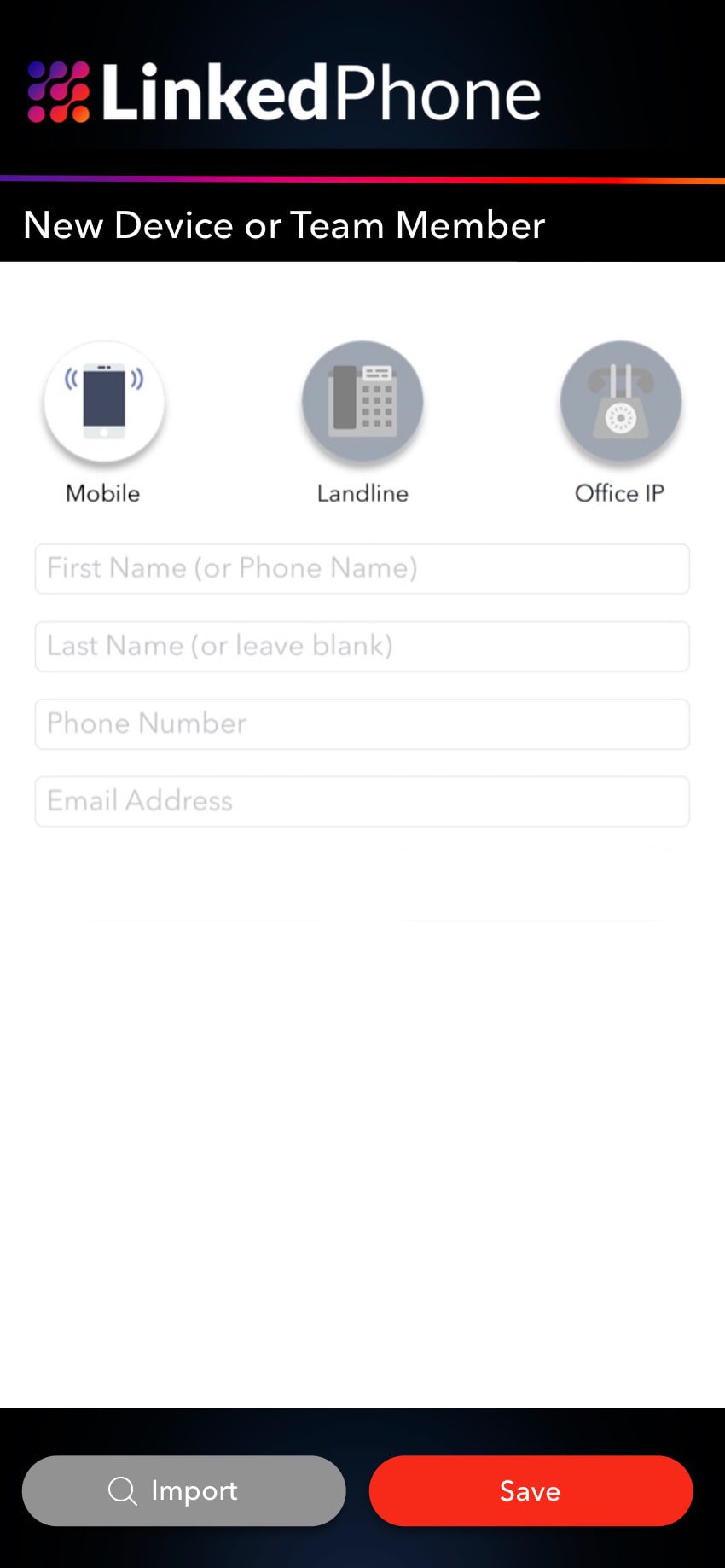
Step 4: Add Team Members & Additional Business Phone Lines
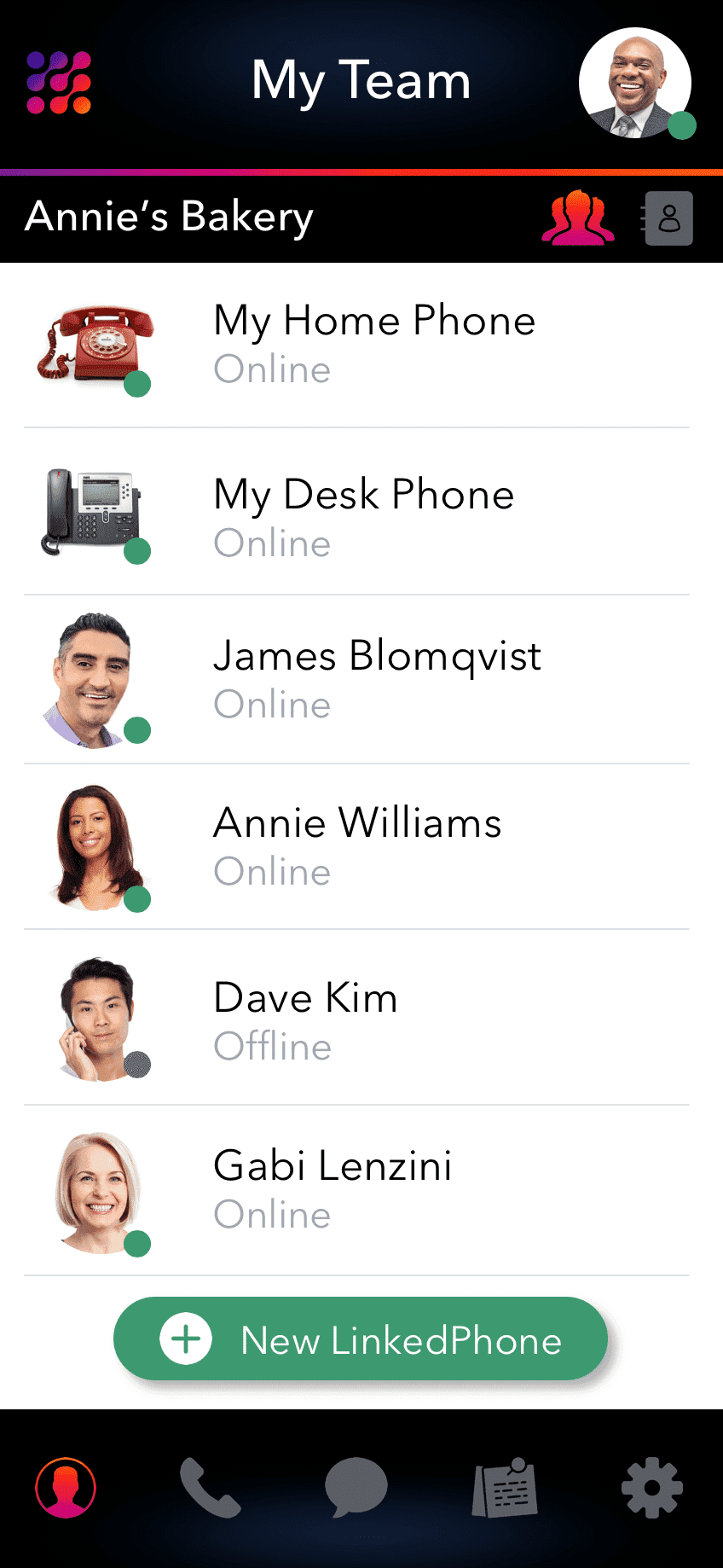
Next, the LinkedPhone app will prompt your name, email, and photo (optional). We will send tips, instructions, and a back-up of your voicemail by email. At this point, you will then have the option to add team members. New users will receive an email with app download instructions. Users can use the app for free.
Oh, and one more thing. Did you know your team phone number will also work with office VoIP phones and landlines? You can even log in on the web and use your laptop as a business phone. LinkedPhone is flexible around your specific business needs.
 |  |
Step 5: Set Business Hours and Customize Greetings & Voicemail
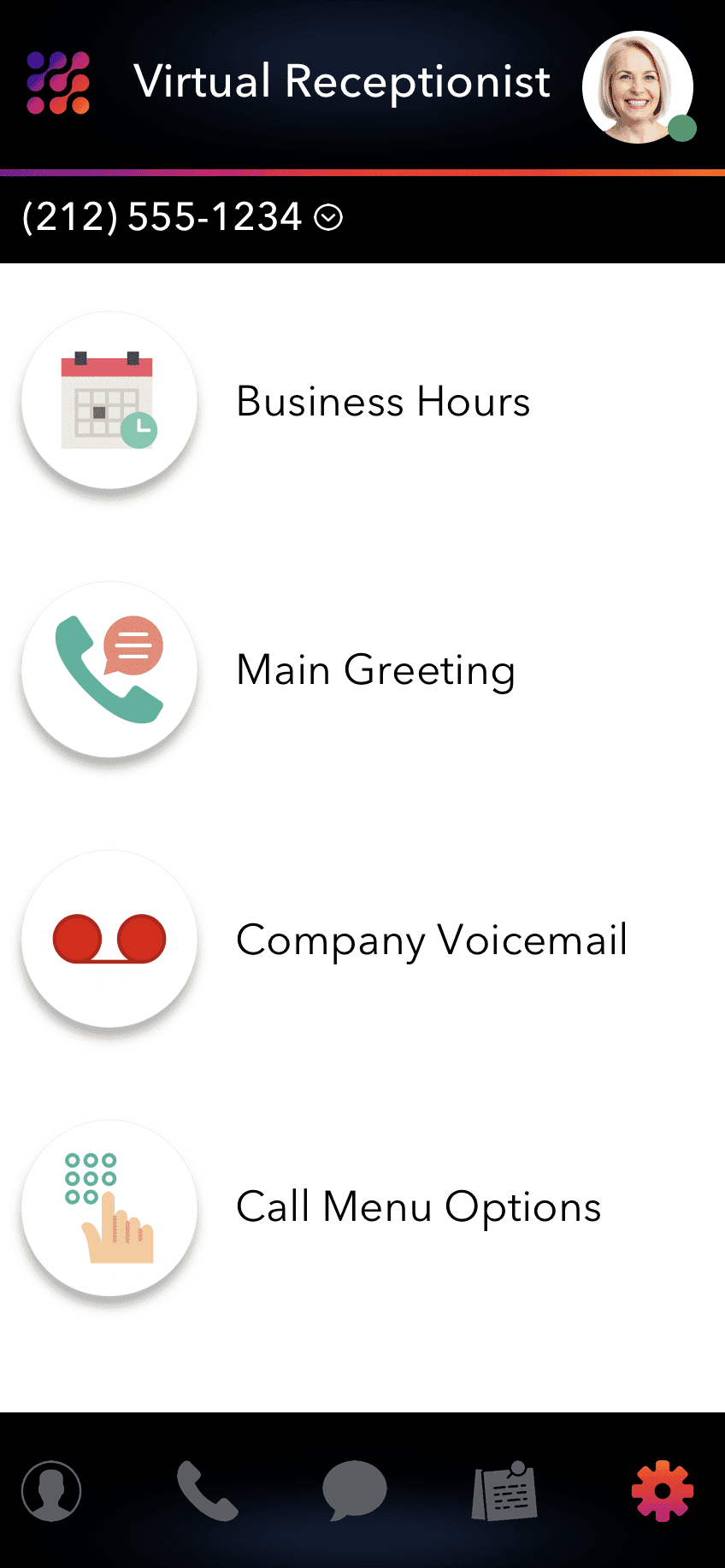
The default LinkedPhone configuration will route calls to you and your users when customers call your business phone number. It’s easy to set up business hours, a welcome greeting, and voicemail greetings with a basic configuration.
If you need a more advanced configuration, you can set up call menu options with our Virtual Receptionist feature, for no additional charge. Call menu options enable you to play helpful messages like hours and location, transfer callers to voicemail or to a live receptionist, route callers to specific team members (customer service, sales, etc). Our wizard will guide you through the set-up process. It couldn’t be easier.
 |  |
Conclusion: Sharing One Phone Number With Your Team
There you have it. Sharing a business phone number with your group couldn’t be easier. There are lots of use cases for sharing a phone number. Incorporating a shared phone line into your business, service, or group streamlines your communications work flow. Since mobility is becoming increasingly important in today’s work environment, legacy business phone systems don’t work anymore. LinkedPhone is bringing communication into the 21st century.